WhatsApp latest beta brings QR Code, Share To Facebook features

SHARE:

WhatsApp has released a beta with two new features: QR Code and Share To Facebook. These features were already talked about previously but h...

WhatsApp has released a beta with two new features: QR Code and Share To Facebook. These features were already talked about previously but have made it to the beta version this week. While QR Code will make it easy for users to share phone numbers, the Share To Facebook feature will make it seamless to share Whatsapp Stories to the parent company’s app Facebook. Only the Android version of the app has got the beta version 2.19.151. While there is no info about Share To Facebook for iOS, the QR Code support for Apple devices was announced six months ago (it's still under development).

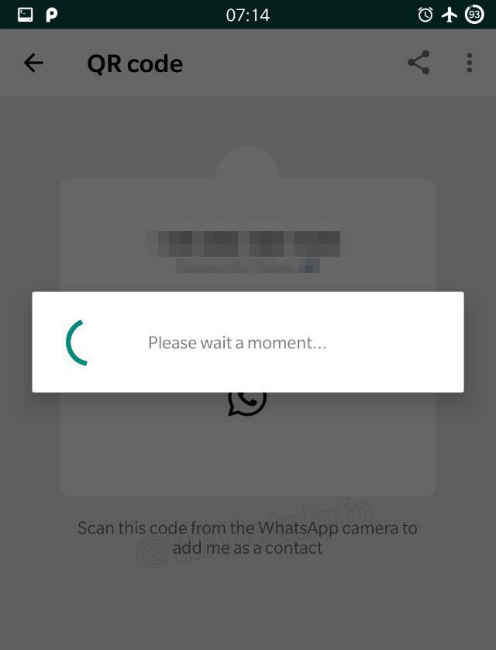
A recent report from WABetaInfo details how QR Code could become handy in sharing the number associated with WhatsApp. Once the stable release of the feature becomes available to the masses, people can navigate to their profile, scan the QR code through WhatsApp camera app and exchange contact details seamlessly. It also mentions that the QR Code can be shared on social media and can also be revoked at any time. This feature could become handy for Businesses as they can add a QR Code to share contact number easily. Snapchat and Messenger have already been using similar identification methods. Files sharing app ShareIt is also using QR Code tech to connect with friends.
According to WABetainfo, the latest beta brings an “Add to Facebook Story” button. When a user shares a story on WhatsApp, he/she will get an option to share the same story to Facebook as well. But there’s a catch: the option will only appear if the Facebook app is installed on the device. Sharing Stories is a growing trend and the feature, which was first introduced by Snapchat, has been used by Google on YouTube, and by Facebook for Facebook app, Instagram, Messenger and WhatsApp. All the Facebook’s platforms have 500 million daily Stories users each.



from Latest Technology News http://bit.ly/2VGyHvz

COMMENTS

Name

7,1,Airtel,1,Andriod,1,Android,4,Android Q,1,apex,1,Apple,7,Apps,1,Asus Rog,1,Black Shark 2,2,Boeing 737 MAX,1,Bsnl,2,camera,2,CPU,3,Donald Trump,1,Earphone,1,Facebook,5,Fan,1,Fitbit,1,foldable Phone,2,Fortnite,1,Galaxy A40,1,Galaxy s10,1,Galaxy s10e,1,Games,10,gaming,1,Google,6,Google Pixel 2,1,Honor 10i,1,Huawe,1,Huawei,6,Huawei GT,1,IBM,1,Instagram,2,Internet,2,ios,2,iPad,2,iphone,2,Israel,1,jiomart,1,Laptop,1,Leica Q2,1,M20,1,mac,1,MacOS,1,Mi 9,1,Mi A2,1,Mi LED TV,1,MicroSoft,3,mobile,1,Moon,2,Mozilla,1,Nasa,2,News,1,Nokia,4,Nokia 62,1,Nvidias,1,OnePlus,4,Oppo,5,P30,3,Pixel,1,Poco F1,1,Pubg,12,Qualcomm,2,Redmi 3,1,Redmi 6 Pro,1,Redmi 7,1,Redmi Note 7,1,reliance,1,Reno,1,samsung,11,Skype,1,SmartPhone,56,Social,5,Spotify,1,Tech,35,Telecom,3,Touchpad,1,Tournament,1,TV,1,Twitter,1,Vivo,2,Watch,2,WhatsApp,1,Xbox,1,Xiaomi,16,y9li,1,
ltr
item
Genius Baba: WhatsApp latest beta brings QR Code, Share To Facebook features
WhatsApp latest beta brings QR Code, Share To Facebook features
https://static.digit.in/default/98329ef09c44c3e82a047d01f7bb0c5287241c5e.jpeg
Genius Baba
https://geniusbabaa.blogspot.com/2019/05/whatsapp-latest-beta-brings-qr-code.html
https://geniusbabaa.blogspot.com/
https://geniusbabaa.blogspot.com/2019/05/whatsapp-latest-beta-brings-qr-code.html
true
7104319406113350277
UTF-8
Loaded All Posts Not found any posts VIEW ALL Readmore Reply Cancel reply Delete By Home PAGES POSTS View All RECOMMENDED FOR YOU LABEL ARCHIVE SEARCH ALL POSTS Not found any post match with your request Back Home Sunday Monday Tuesday Wednesday Thursday Friday Saturday Sun Mon Tue Wed Thu Fri Sat January February March April May June July August September October November December Jan Feb Mar Apr May Jun Jul Aug Sep Oct Nov Dec just now 1 minute ago $$1$$ minutes ago 1 hour ago $$1$$ hours ago Yesterday $$1$$ days ago $$1$$ weeks ago more than 5 weeks ago Followers Follow THIS PREMIUM CONTENT IS LOCKED STEP 1: Share. STEP 2: Click the link you shared to unlock Copy All Code Select All Code All codes were copied to your clipboard Can not copy the codes / texts, please press [CTRL]+[C] (or CMD+C with Mac) to copy