


Multiple new companies have forayed into the smart display segment where one would mostly find devices by companies like Google and Amazon. ...
Multiple new companies have forayed into the smart display segment where one would mostly find devices by companies like Google and Amazon. Lenovo is one of the recent entrants in this segment and have now released a new smart display and a couple of new tablets at the ongoing IFA 2019 event in Berlin. The Lenovo Smart Display 7 is the company’s latest smart display that runs on Android and is a slimmed-down successor to the smart display that the company launched last year. The Lenovo Yoga Smart Tab and Lenovo Smart Tab M8 Android tablets can also be used as smart home hubs with Google Assistant’s Ambient Mode, which is a new feature by Google to enable Google Nest Hub like functionalities on some devices.
Lenovo Smart Display 7As mentioned earlier, the Lenovo Smart Display 7 is an upgraded, slimmer version of its predecessor. It is equipped with a 7-inch SD IPS touchscreen display with a 1024 x 600p resolution. The bezels around the device’s screen are said to be slimmer and thinner, and there’s now an ambient light sensor as well. It is powered by a MediaTek 8167S SoC that is clocked at 1.5 GHz and it features front-facing dual speakers to enable stereo separation.
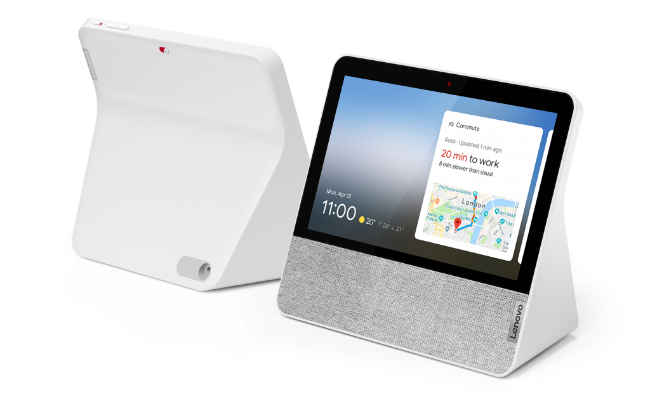
The Lenovo Smart Display 7 comes with Wi-Fi, Bluetooth 5.0 and features a dual microphone array to pick up voice commands by a user. For audio, there are two 1.5-inch 5W stereo speakers, along with one passive radiator. A 2MP wide-angle front camera is also present and I/O buttons on the device include volume rockers, TrueBlock Privacy Shutter and a physical mute button for privacy-centric users. The Lenovo Smart Display 7 is priced starting at €129 (Rs 10,201 approx) and is expected to hit the shelves starting October 2019 via lenovo.com and select retailers.
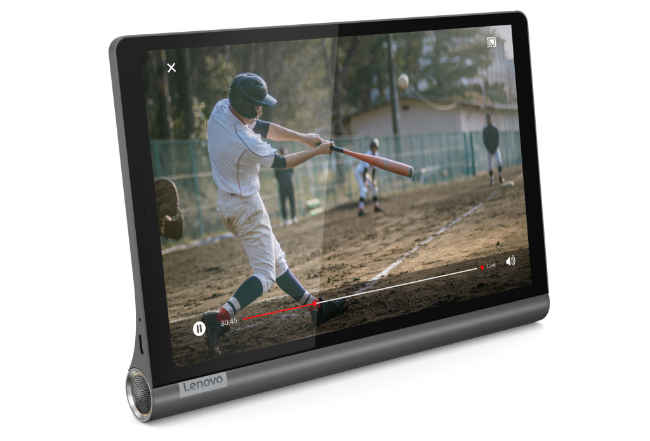
Lenovo Yoga Smart TabThe Lenovo Yoga Smart Tab comes with support for Google Assistant Ambient Mode that basically turns the display into a smart home hub. There's also a built-in kickstand to enable tilt, stand, hold or hang modes for the tablet. It features a 10.1-inch Full HD IPS display with in-cell TDDI (Touch and Display Integration) technology. Running on Android 9 Pie, the device is powered by the Qualcomm Snapdragon 439 SoC and comes with 3GB RAM + 32GB storage and 4GB RAM + 64 storage options. There’s also a microSD slot for memory expansion of up to 256GB.
To pick up voice commands, the Lenovo Yoga Smart Tab comes with three digital mic arrays and 360-degree far-field voice recognition. On the back of the device sits an 8MP camera while on the front is a 5MP sensor. It is also IP52 water resistant and comes with Wi-Fi, Bluetooth 4.2 and GPS. The device is equipped with a 7000mAh battery that is touted to deliver up to 10 hours of video playback. Lenovo Yoga Smart Tab is priced starting at €299 (Rs 23, 700) and is expected to be available starting in September 2019.
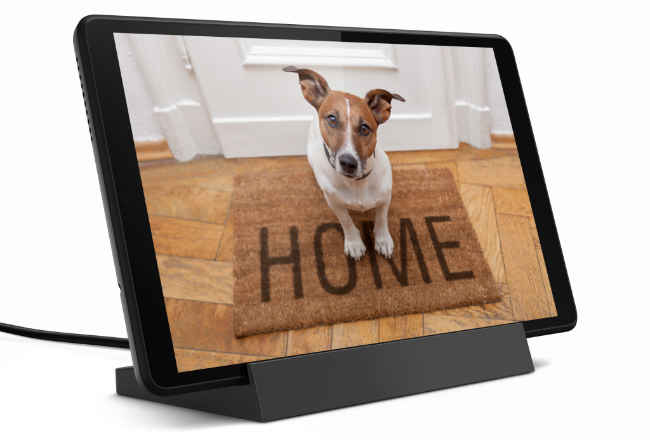
Lenovo Smart Tab M8The Lenovo Smart Tab M8 sports a full-metal cover and also supports Google Assistant’s Ambient Mode. It sports an 8-inch IPS HD TDDI display and is powered by the MediaTek A22 Tab quad-core SoC that is paired with 2GB RAM and options to select from 16GB or 32GB of storage. There are two side speakers on the device that are tuned with Dolby Atmos and it is equipped with a dual MEMS (microelectro-mechanical systems) microphones and far-field voice recognition.
On the back, the Lenovo Smart Tab M8 sports a 5MP sensor while on the front sits a 2MP camera. It features a volume rocker, one USB 2.0 port and a 3.5mm audio jack as well. In terms of connectivity, the tablet supports Wi-Fi and Bluetooth 4.2. The Lenovo Smart Tab M8 is priced starting at €149 (Rs 11,800 approx) and is slated to hit the markets by October 2019.

from Latest Technology News https://ift.tt/2PSJGV9


COMMENTS