


Microsoft has announced that it is rolling out updates for Snipping Tool and Notepad to Windows Insiders in the Canary and Dev channels on W...
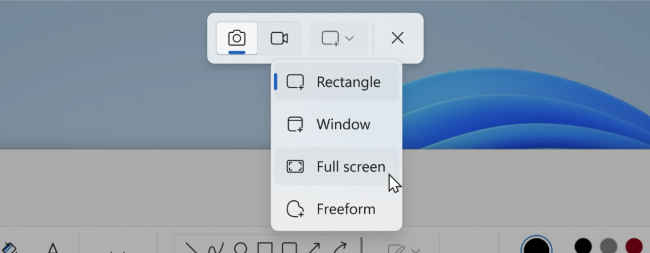
Microsoft has announced that it is rolling out updates for Snipping Tool and Notepad to Windows Insiders in the Canary and Dev channels on Windows 11. For the Snipping Tool, the company introduced the combined capture bar, making it easier to switch between capturing screenshots and screen recordings without having to open the app.
The company is also improving the screen recording experience based on users’ feedback by introducing support for optionally recording the PC audio and voice overs using a microphone. “New app settings let you configure the default audio recording settings for new screen recordings, and if you have multiple recording devices, you can select your preferred recording device before you start recording,” Microsoft said in a Windows Insider Blog on Thursday.
Also read: How to get iMessages on Windows by linking iPhone and Phone Link app
The tech giant further acknowledged an issue where some users might unexpectedly see a pop-up dialog when taking a screenshot asking them to “Select an app to open this ‘ms-screenclip’ link”. Also read: Windows 11’s Smart Snap to Office 365, Microsoft’s going all in with AI
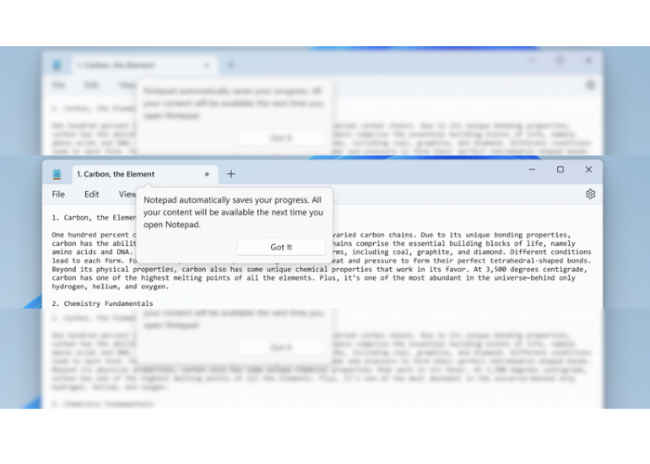
“With this update, Notepad will start automatically saving your session state allowing you to close Notepad without any interrupting dialogs and then pick up where you left off when you return,” Microsoft said.
Notepad will automatically restore previously open tabs as well as unsaved content and edits across those open tabs. Also, the saved session state does not impact any of the users’ files, however, it is still their choice whether to save or discard unsaved changes to files anytime they close a tab.
Users can also turn this feature off in app settings if they would prefer to have a fresh start every time they open Notepad.
These updates for Snipping Tool and Notepad are currently rolling out, so they might not be available to all Insiders in the Canary and Dev Channels.
Meanwhile, in a separate blogpost, the tech giant announced that it is releasing Windows 11 Insider Preview Build 22631.2265 (KB5029347) to the Beta Channel. With this build, Windows is now able to display richer emoji with a 3D like appearance with support coming soon to some apps and browsers.
from Mobile Phones News https://ift.tt/SL2hmWR


COMMENTS